
Projects of both kinds
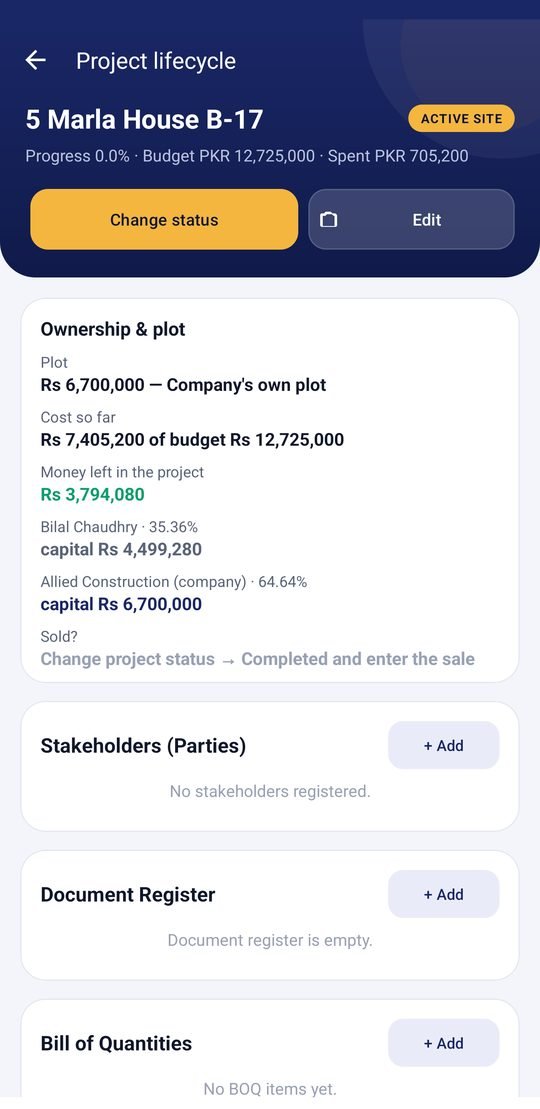
Client contracts (area × rate, BOQ, payment milestones, change orders, printable agreement) and your own projects (plot, construction, investors, sale). Each has a budget, a status and a full timeline.
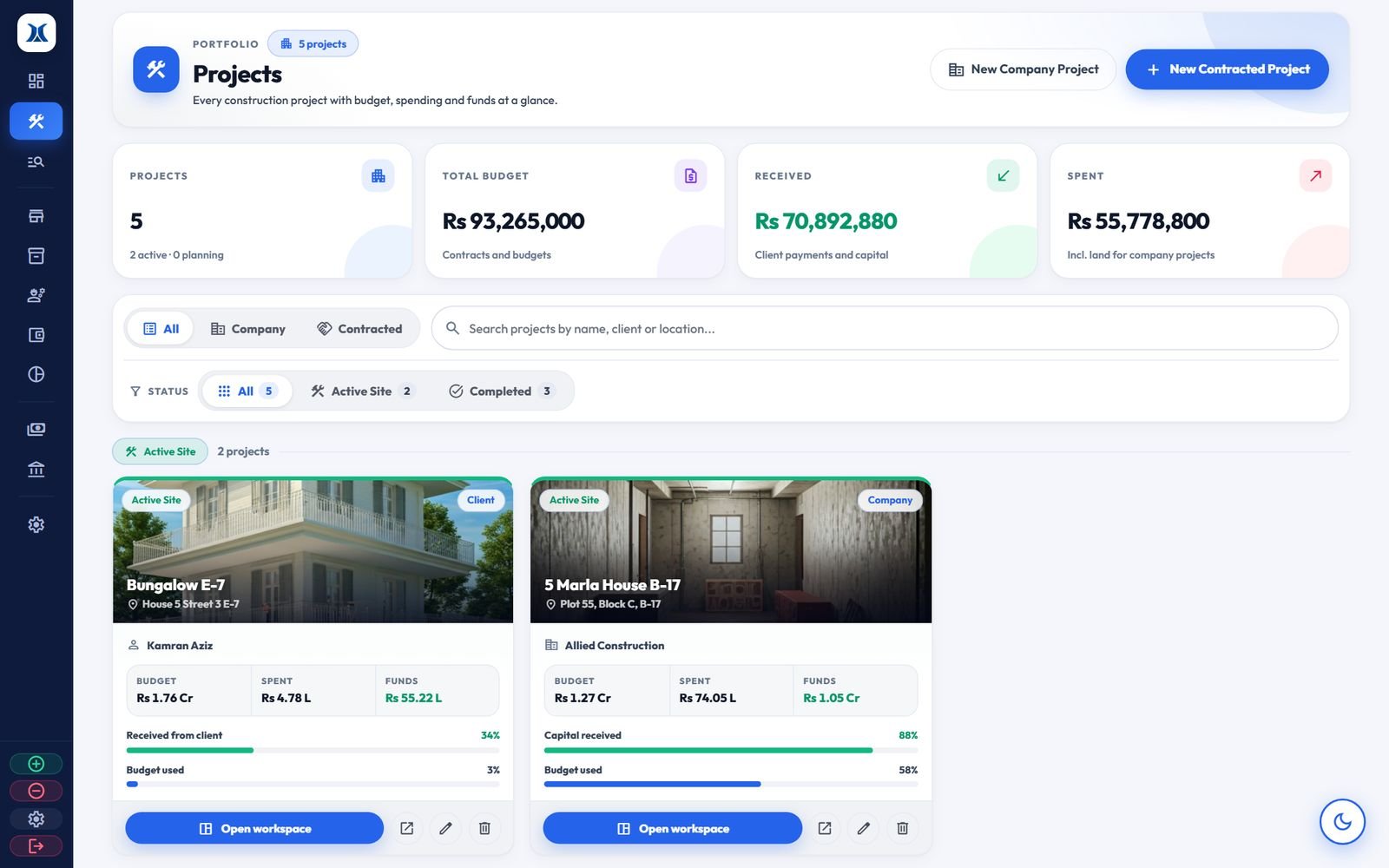
The construction ERP for builders and contractors worldwide. It covers projects, expenses, labour, materials, suppliers, investors and client payments, on a web dashboard and an Android app that always match.
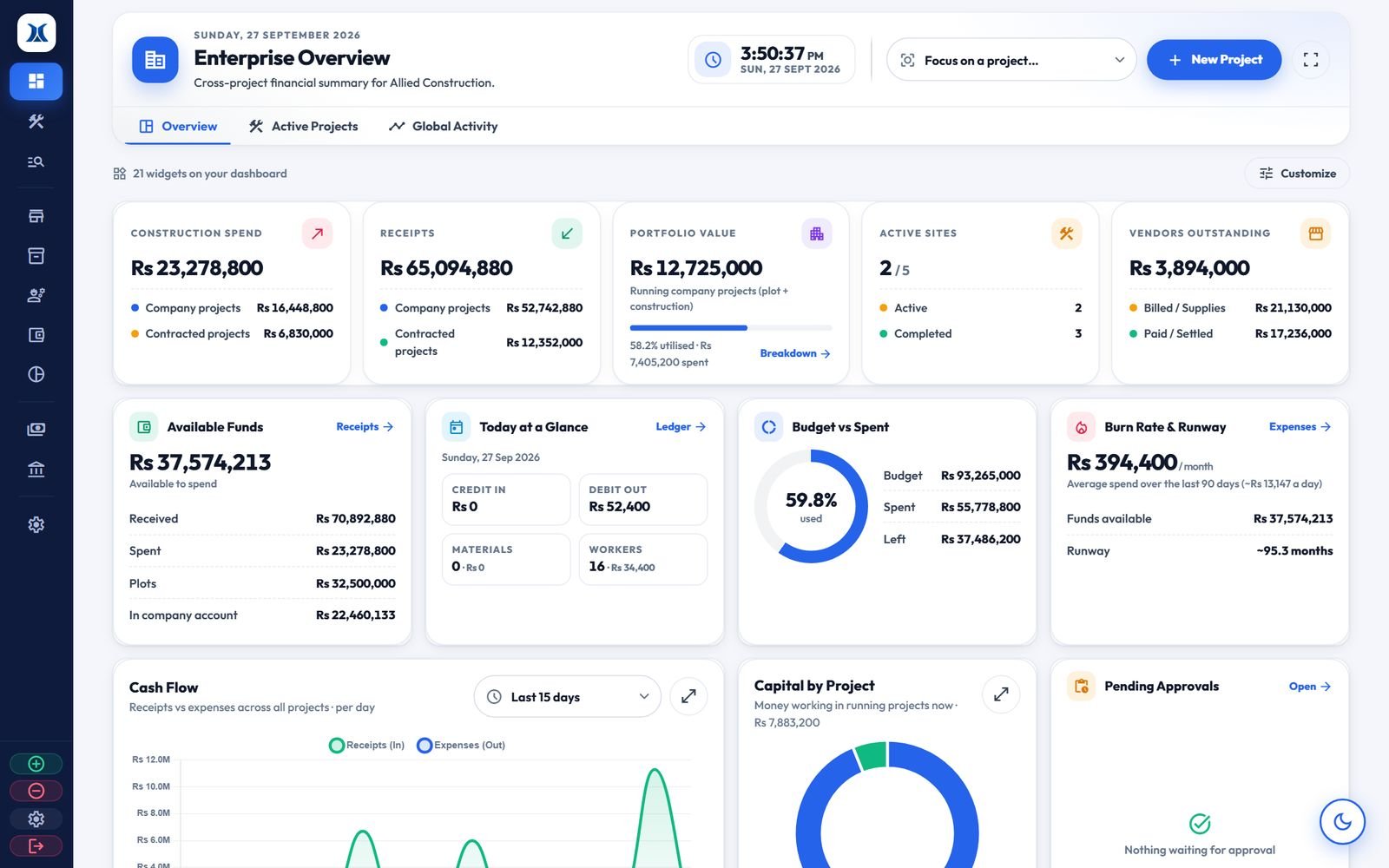
When several sites run at once, simple questions get hard to answer: who owes what, what each site has cost, what each partner has earned. This system answers them in seconds.
Built around the way modern builders and contractors actually work, from the site to the owner's office.
Client contracts (area × rate, BOQ, payment milestones, change orders, printable agreement) and your own projects (plot, construction, investors, sale). Each has a budget, a status and a full timeline.
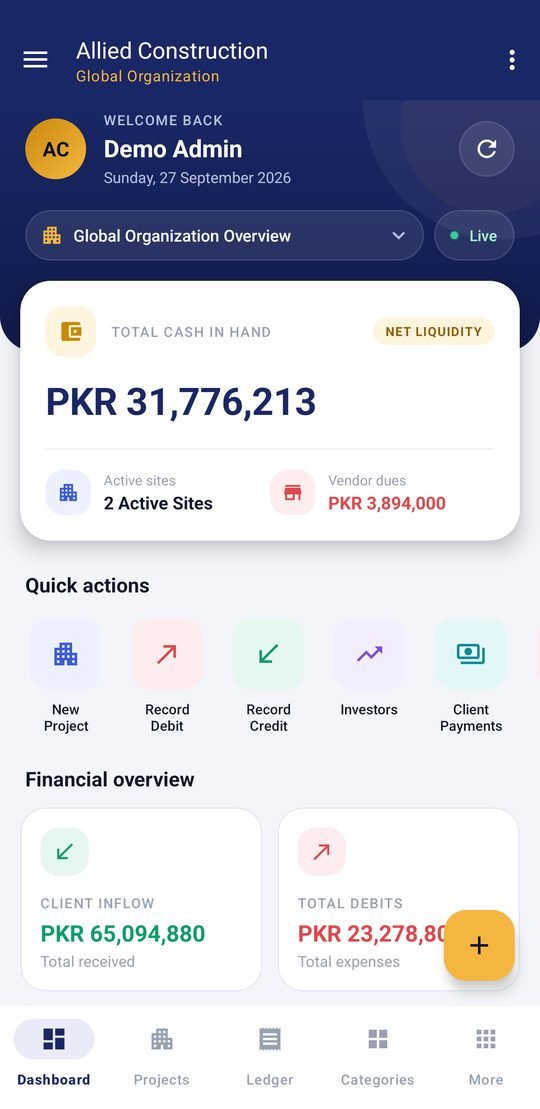
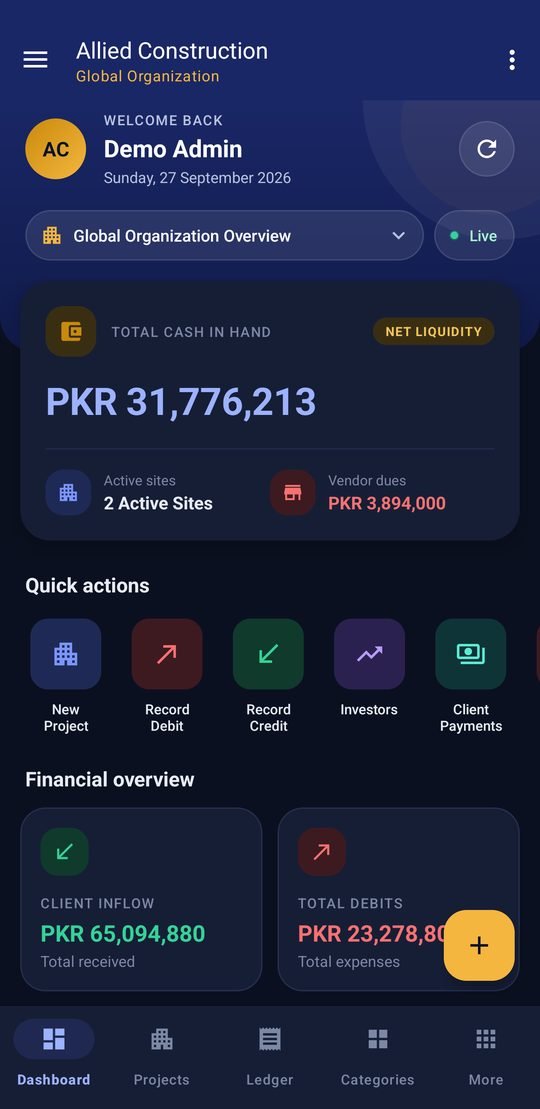
Everything the dashboard does, on the phone. Entries appear on the dashboard straight away.
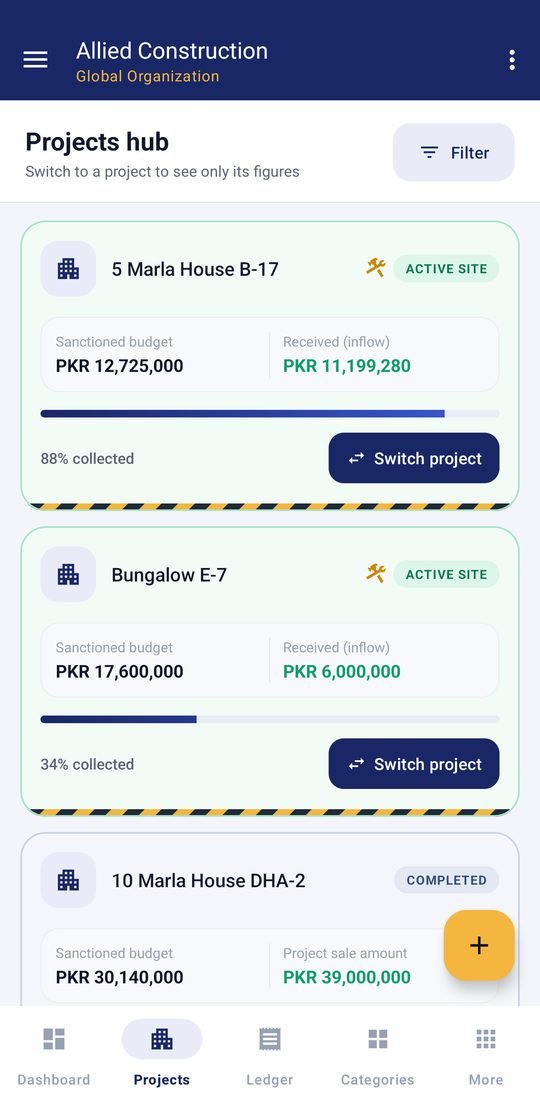
Every debit is recorded against its project and category, with a running balance and budget vs. spent.
Client payments, investor capital and company capital, with who paid, when and how. Shows what each client still owes.
Daily workers for each supervisor and trade, with wages worked out automatically. The site enters them, the office approves.
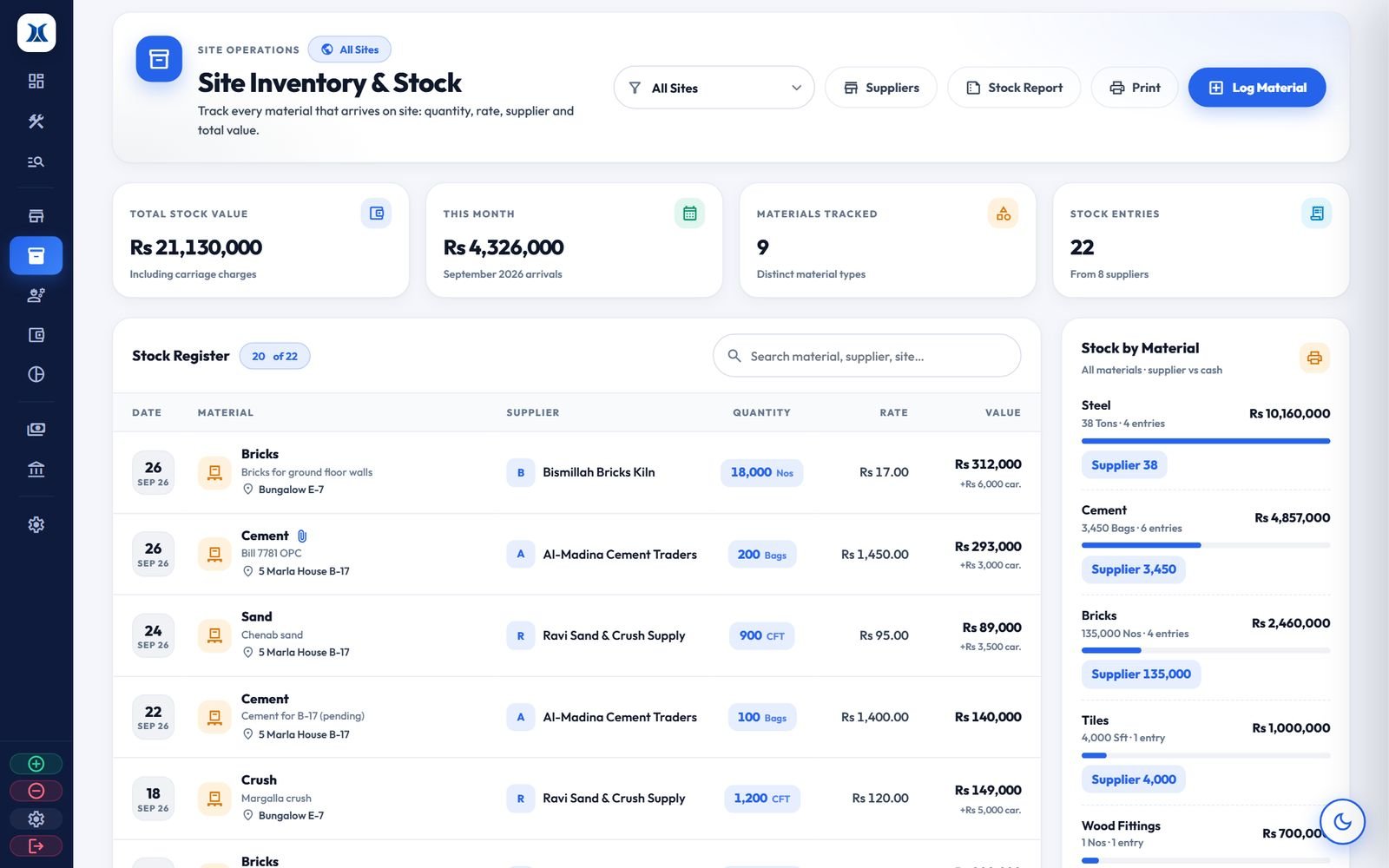
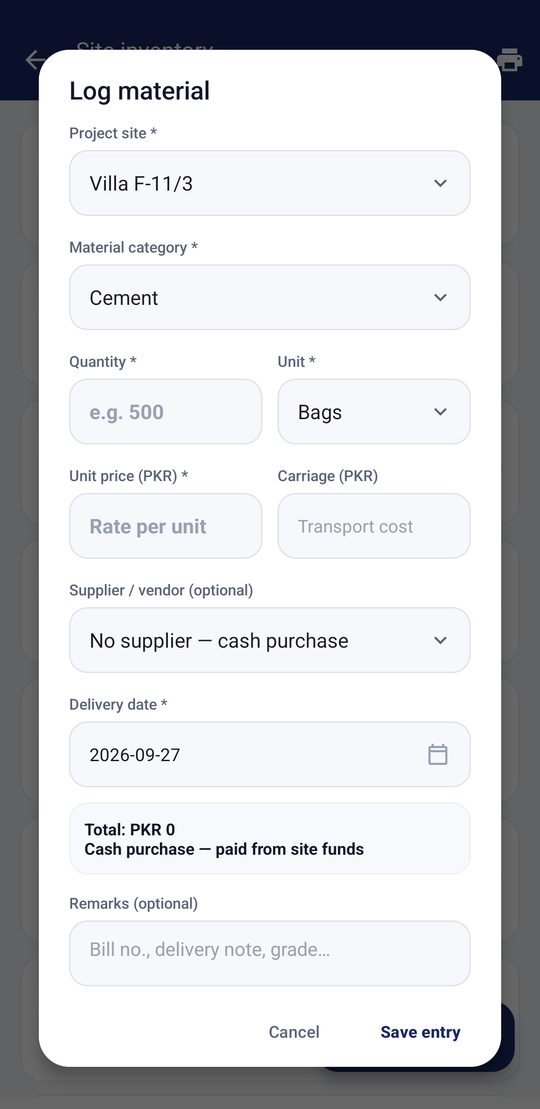
Cement, steel, bricks and sand logged for each site, with quantity, rate and carriage, a photo of the bill, and a stock report for every material.
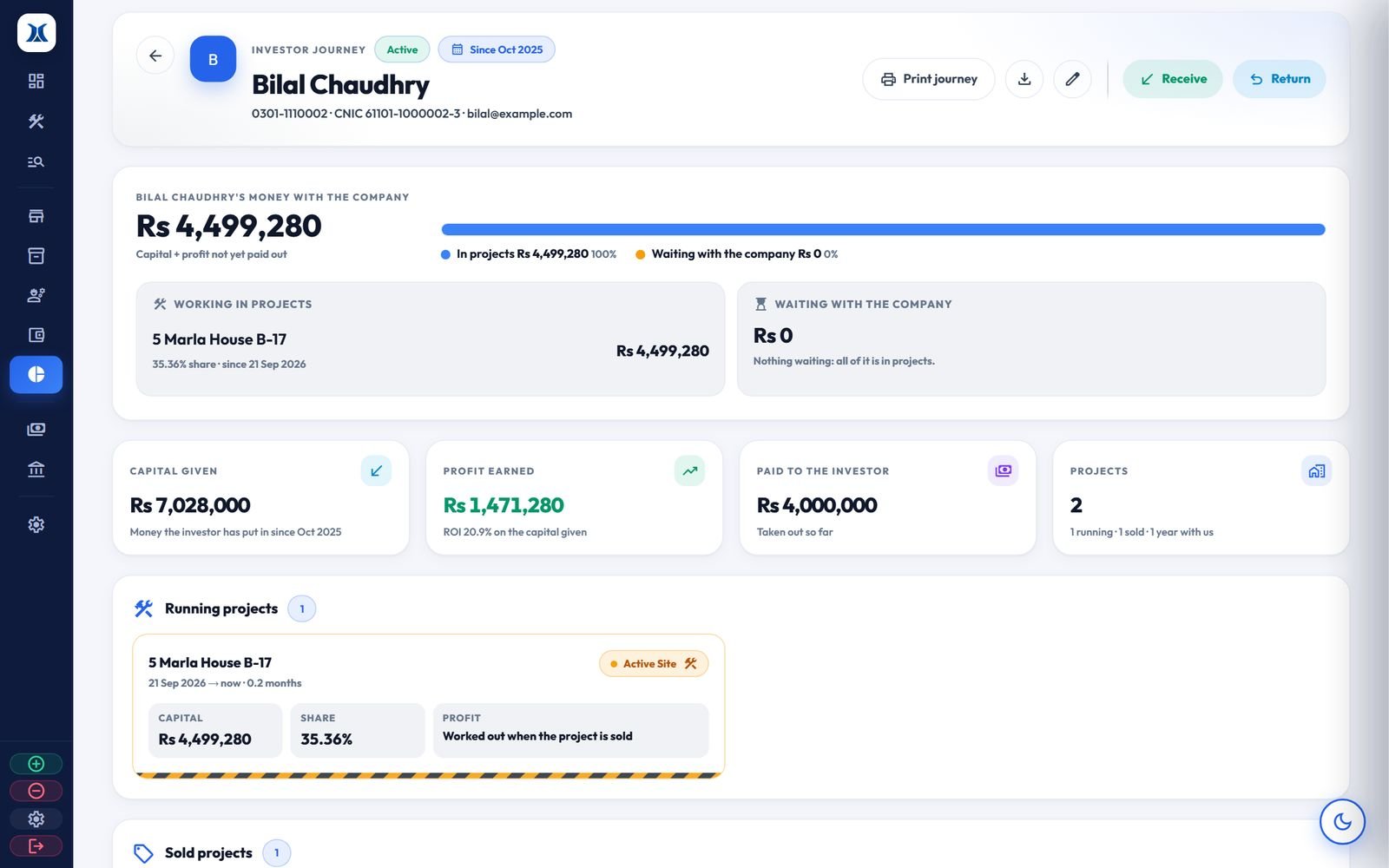
Each partner's capital and share % for each project. Profit is worked out when the project is sold, payouts are recorded, and each partner gets a statement.
Bill of quantities, a payment schedule that adds up to 100%, milestone certificates, change orders and a snag list.
An account for every vendor, with every bill, payment and refund, and what you still owe, overall and for each project.
All of the company's money in one view. Profit moves here automatically when a project is sold or completed.
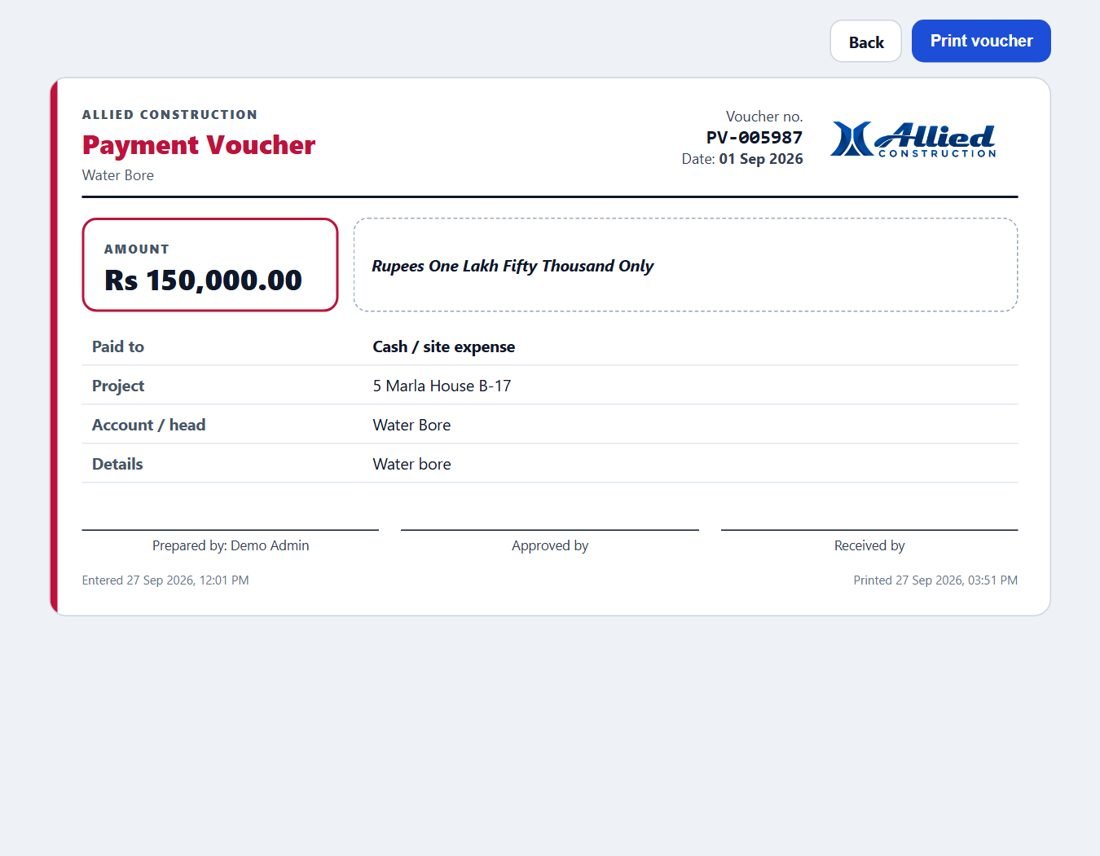
A printable voucher for every payment, with the amount in words, the receipt photo and places to sign.
One click narrows the whole dashboard to a single site: its money, labour, stock and suppliers only.
Every ledger, statement and report prints on A4 or saves as PDF, and ledgers export to Excel (CSV).
Real screens from the live demo. Keep scrolling to go through them, or pick one.
Scroll to see the next screen
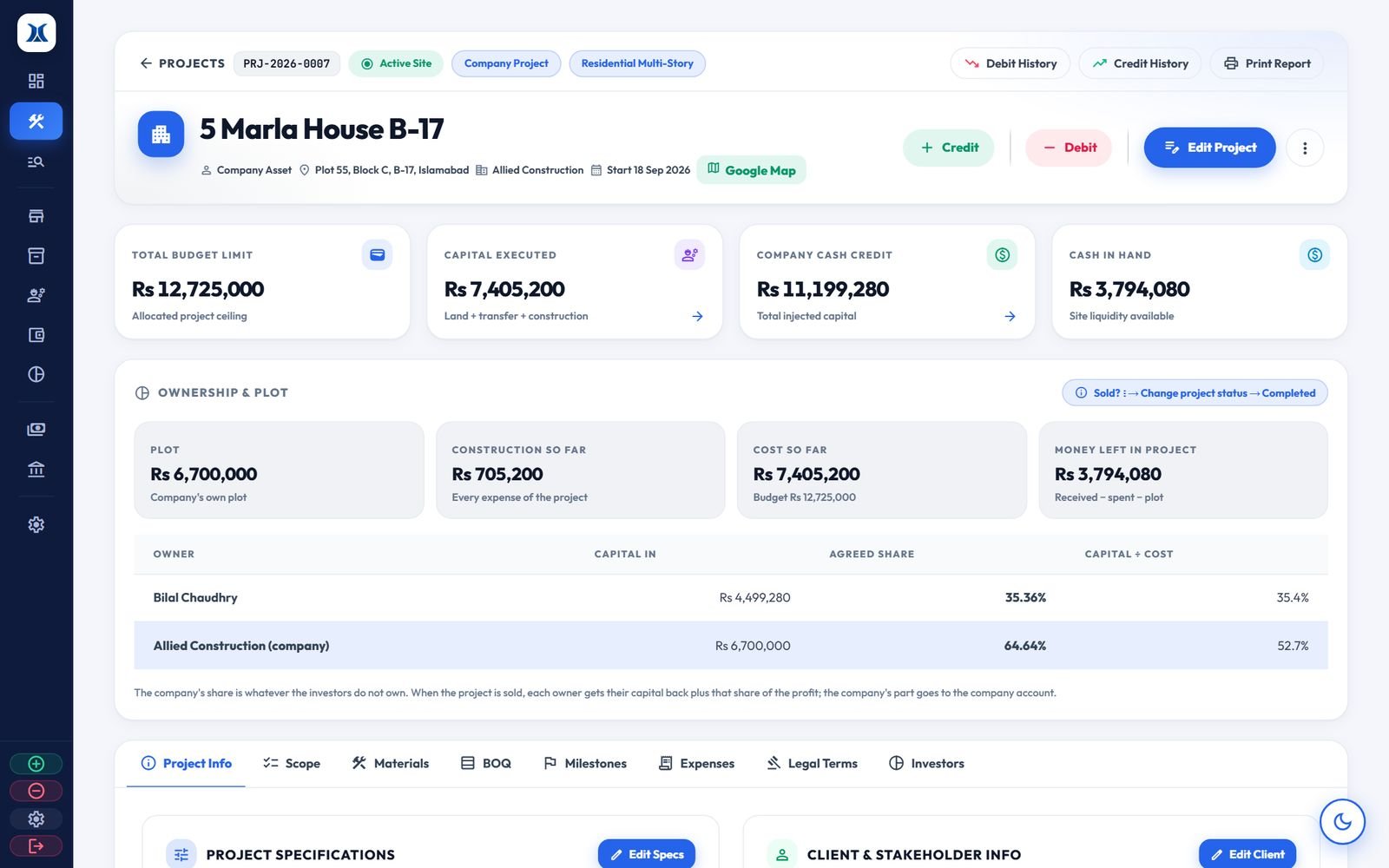
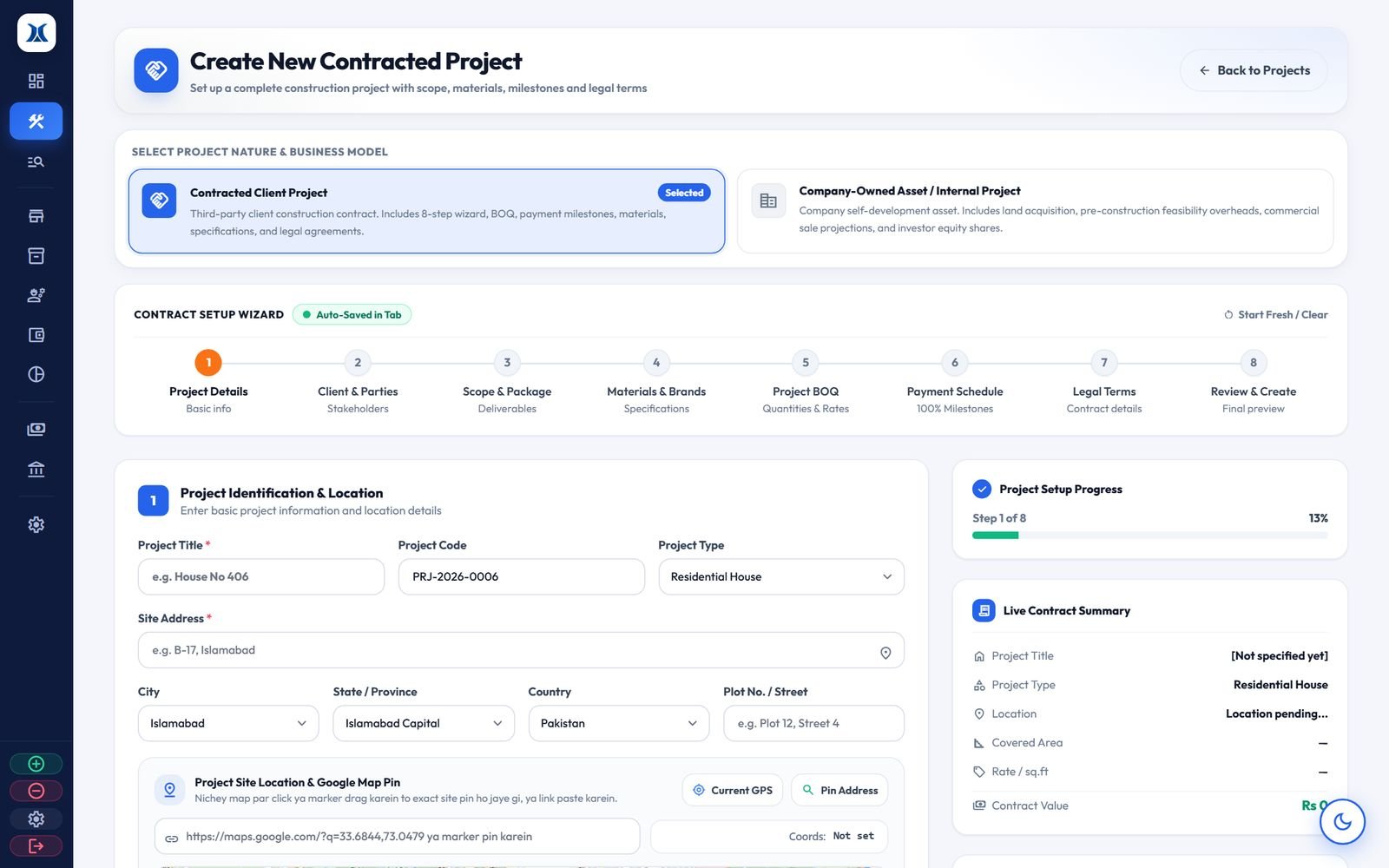
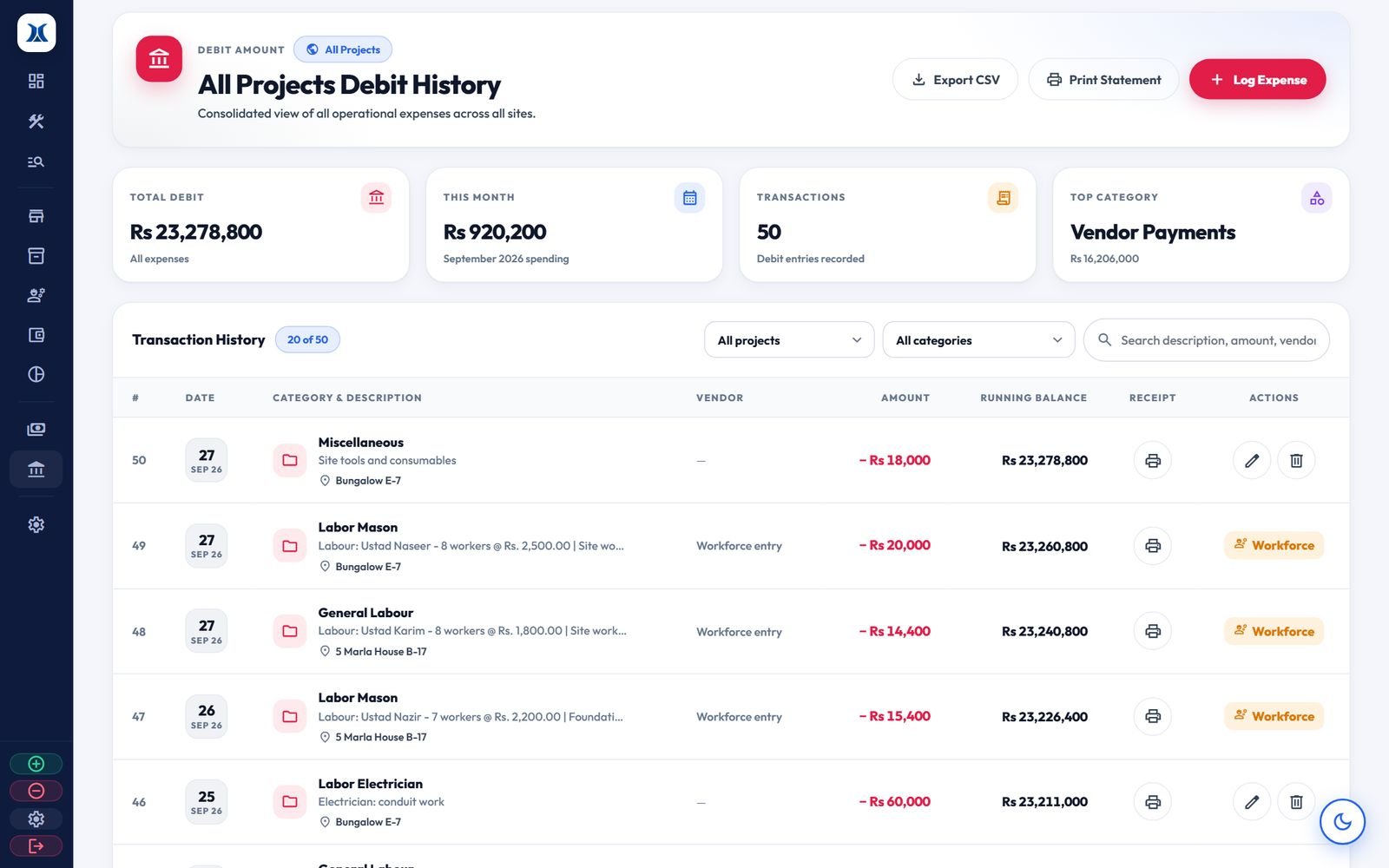
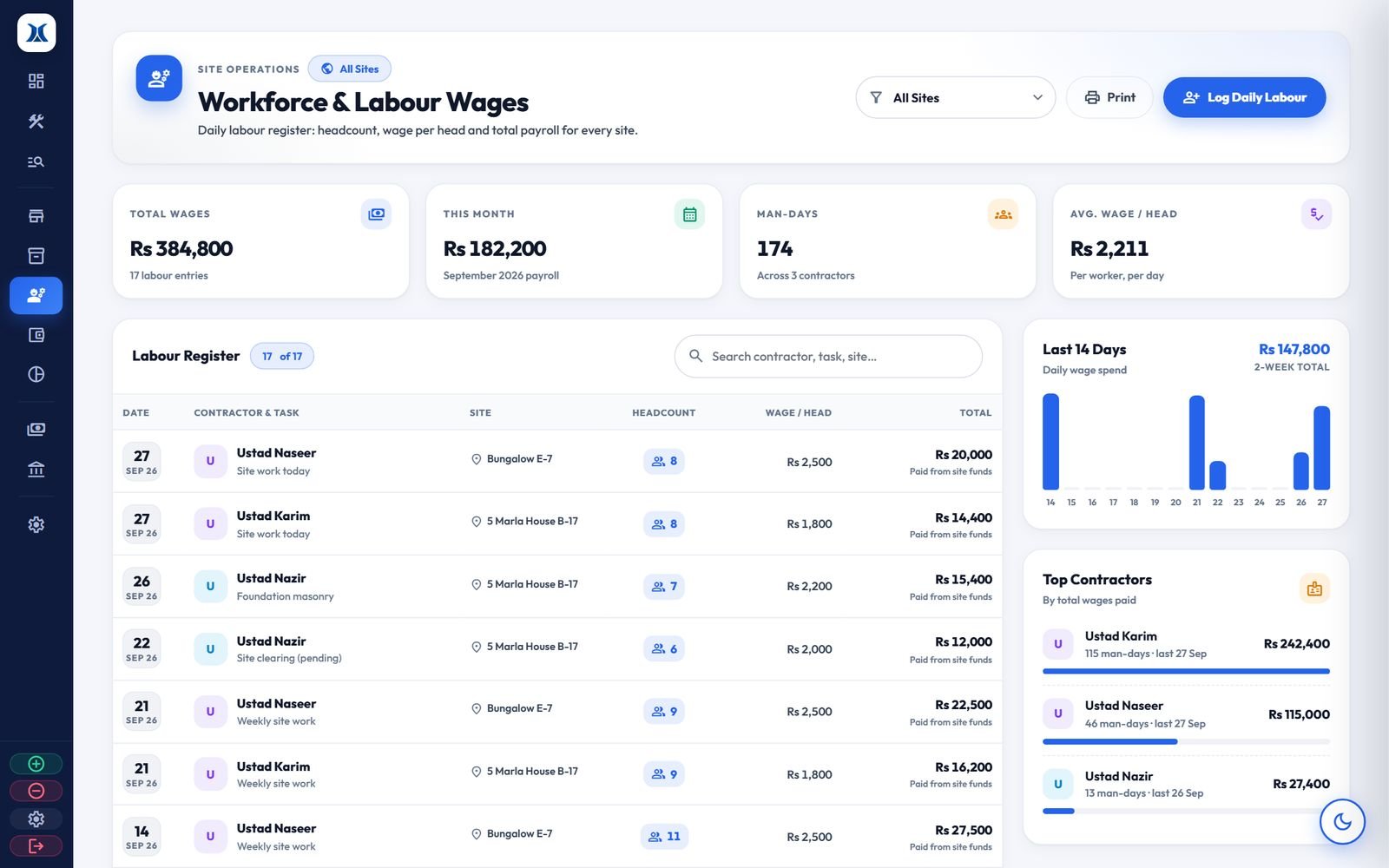
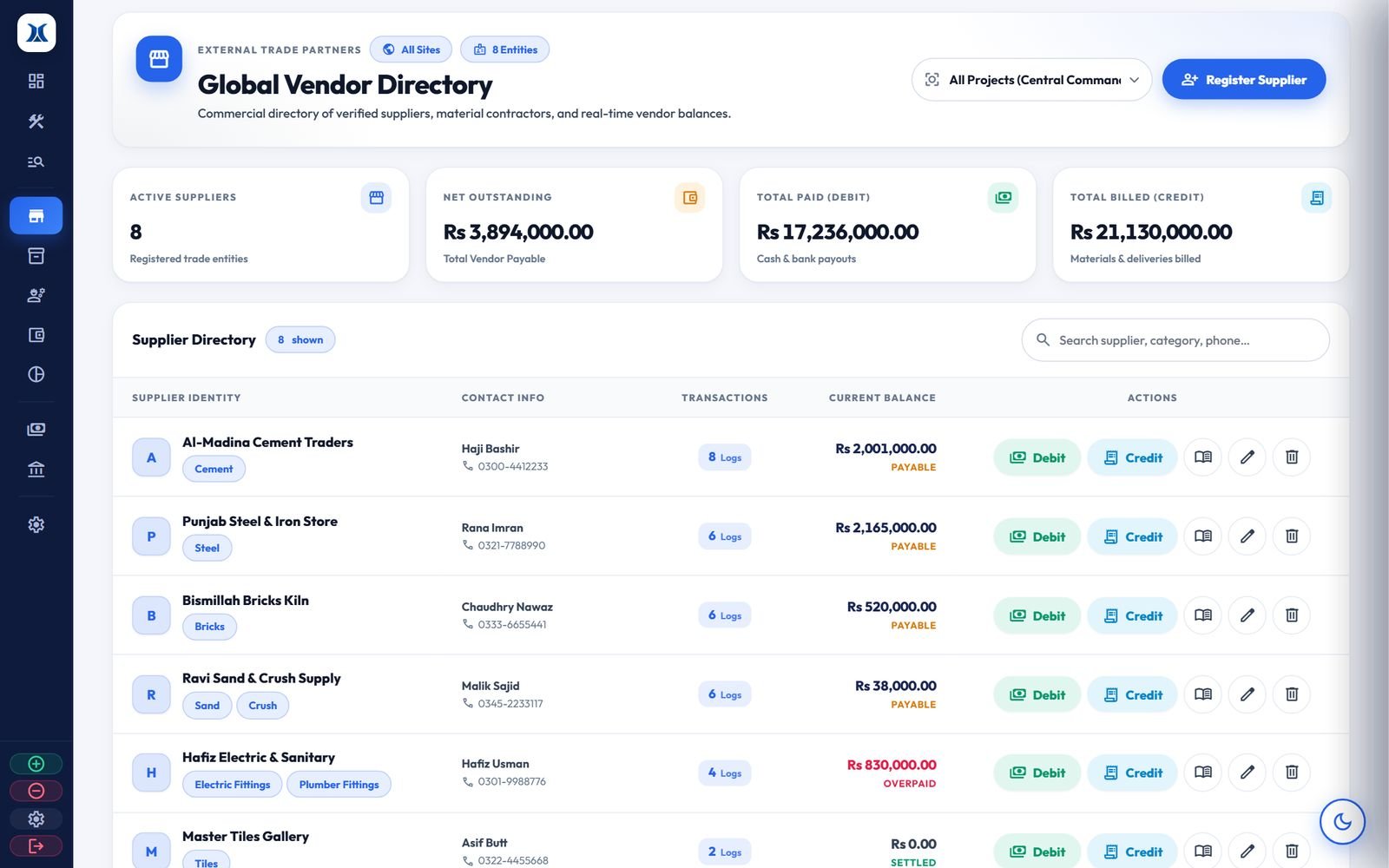
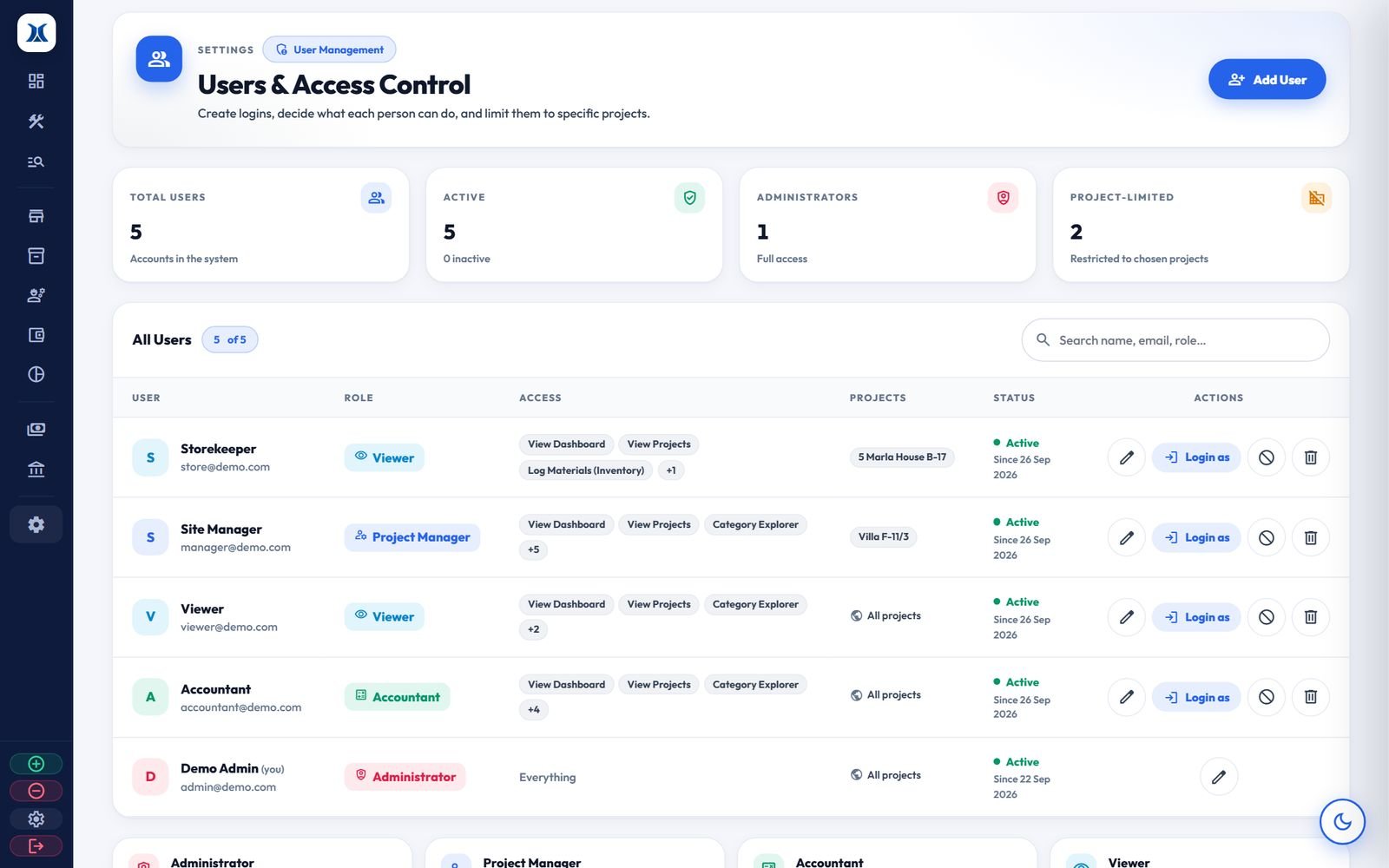
Each project, investor, supplier and category keeps its own ledger. Tap a screen to see it full size.
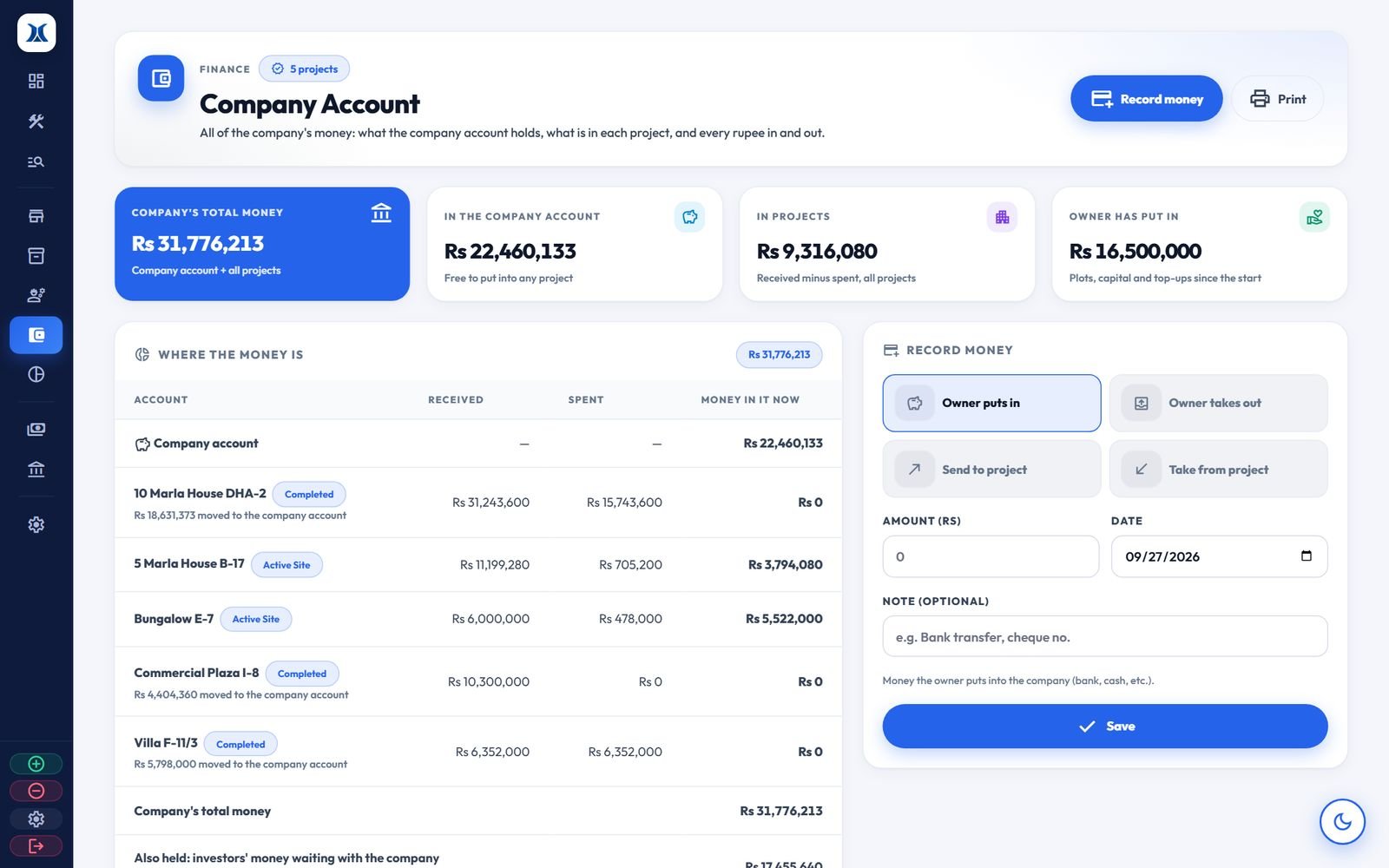
The company account brings all of the company's money together: what is in the company account, what is working in each project, and what the owner has put in or taken out.
Every payment, debit or credit, prints as a professional voucher. Each one has a number, the amount in figures and words, the payee, project and account, the receipt photo, and places to sign.
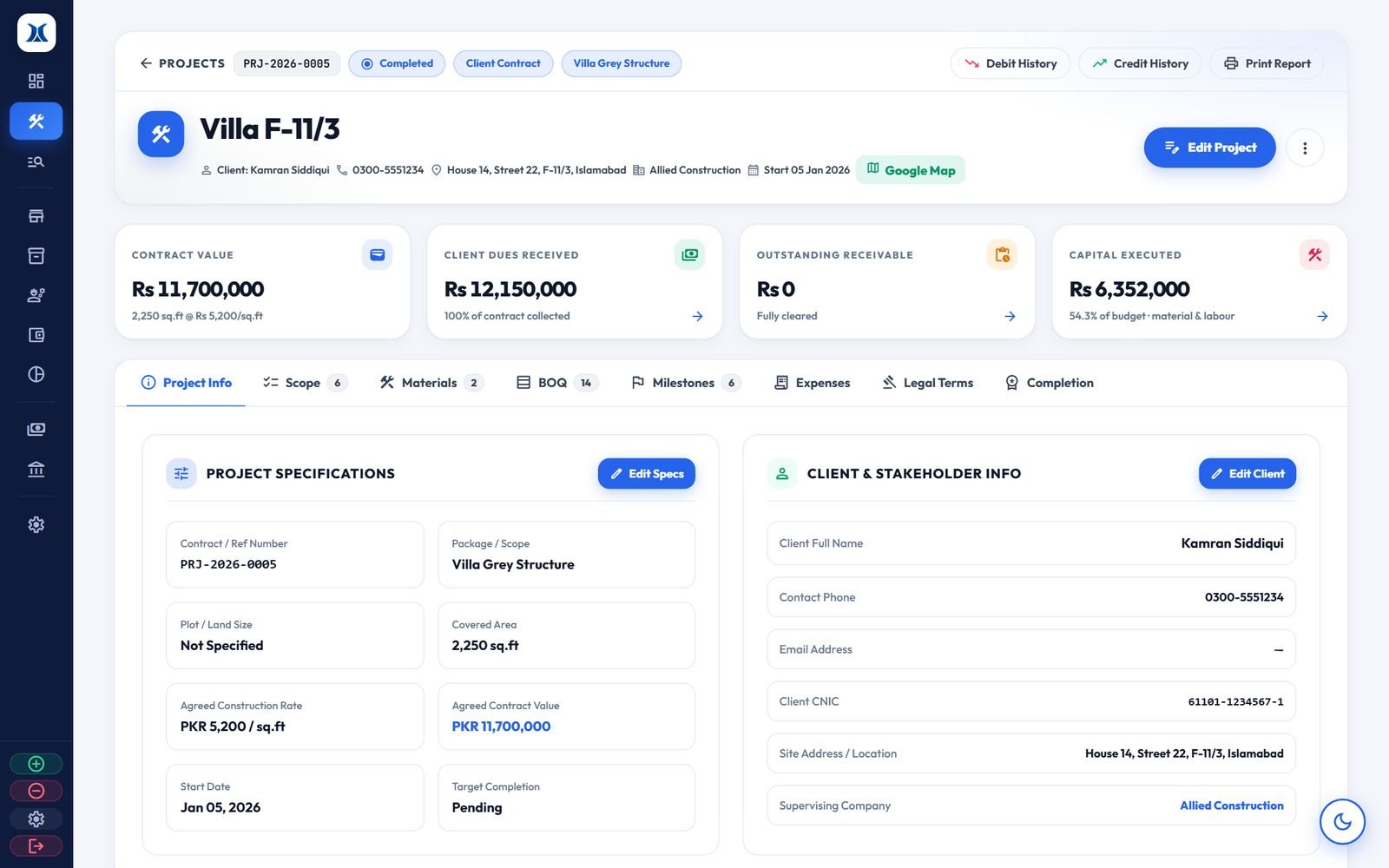
For client work, the contract value, change orders, payments received and outstanding dues are always up to date. A contract cannot be closed while money is still owed. When it completes, its profit moves to the company account.
Site managers make entries on the spot, and the owner checks every site from anywhere. The app and the dashboard share the same data.
Swipe to see more screens · tap one to zoom in
 Download the Android app (APK)
Android 7.0 or newer. If the phone asks, allow installing from your browser.
Give each member of staff their own login. You decide what each person can see and change, and which sites they can open.
| Permission | Admin | Site Mgr | Accountant | Store | Viewer |
|---|---|---|---|---|---|
| Dashboard & projects | |||||
| Record expenses | |||||
| Receipts & client payments | |||||
| Materials & labour | |||||
| Investors & company account | |||||
| Users, settings & branding | |||||
| Limited to chosen sites | Optional | Optional | Optional | Optional |
Each permission can also be switched on or off for a single person.
Your system runs on its own web address with its own database, over encrypted HTTPS.
Sign-ins, entries, edits and deletions are all recorded: who changed what, and when.
An admin can see the system exactly as a staff member sees it, to check their access.
Entries by site staff can wait for approval. Once a project is sold or a contract is completed, its figures are locked.
The demo runs as a sample company, Allied Construction, with projects, investors, labour and materials already entered. Add, edit, delete and print anything you like. The demo resets every night, so you can't break anything.
Password for all: demo1234. On the login page you can also just tap a role.
Your company gets its own copy, with your name and logo, on your own web address.
Use the dashboard and the app with the demo accounts, and see if it fits your work.
A short call or visit, to go through your sites, staff and the way you keep accounts now.
Your company name, logo and web address, a branded Android app, and logins for your staff.
Your team is trained, your running projects are entered, and you record from day one.
No. The dashboard runs in any web browser, such as Chrome or Edge, on a computer, laptop or tablet. Your staff use the Android app on their phones.
Yes. Site entries are simple forms: project, amount, category and a photo of the bill. The system does the calculations and keeps the books in order for the office.
Yes. Your dashboard, printed vouchers, reports and the Android app all carry your company name and logo, on your own web address. The demo uses a sample company called Allied Construction.
Yes. Project reports, investor statements, supplier ledgers, credit and debit ledgers, category ledgers, stock reports, vouchers and contract agreements all print or save as PDF, and ledgers export to Excel.
Your company gets its own system with its own database, over encrypted HTTPS. Staff only see what their role allows, and every change is recorded in the activity log.
Yes, fully. Each investor's capital and share % are recorded for each project. When a project is sold, their profit is worked out and paid out. A plot brought in by a partner can count as their share. Each partner gets a printable statement.
Right now there is an Android app. iPhone users can use the full dashboard in the phone's browser.
It depends on your setup: the number of sites and users, your own domain and branding, and training. Message us on WhatsApp for a quote.
Book a free 15-minute walkthrough, at your office or online. Send us your details and we will get back to you the same day.